Inboxes are overflowing and open rates keep sliding. A postcard doesn't compete for a spam folder — it sits on the kitchen counter. Here's where physical mail still beats digital for local service businesses.
Start Free — No Credit CardEmail used to feel free and infinite, so everyone piled in. Now the average inbox is a wall of promotions, and a single message has to survive spam filters, the Promotions tab, and a thumb that archives in half a second. Physical mail went the other direction: as senders fled to digital, the mailbox got less crowded — so a well-made postcard has fewer rivals competing for the same few seconds of attention.
Industry benchmarks (e.g., ANA / DMA) typically put direct-mail response in the low single digits for prospect lists and higher on your own house list, while average promotional-email open rates commonly land in the mid-teens to low twenties percent — and that open figure is itself an estimate skewed by privacy features. These are ranges, not guarantees; your real numbers depend on your list, offer, and timing. See Sources.
Mail isn't better at everything — it's better at the things that matter most when you're a dentist, HVAC contractor, or med spa trying to fill a schedule in your own zip code.
Most local businesses have far more mailing addresses than valid, opted-in email addresses. With direct mail you reach a household by address — no list-building, no opt-in gymnastics, no bounced sends.
You serve a radius, not the internet. Mail lets you blanket the neighborhoods around your front door — EDDM-style saturation mailing covers whole carrier routes without needing a single name.
An email is gone the instant it's archived. A postcard sits on the counter, gets stuck to the fridge, and re-reminds the household every time someone walks past — a physical presence digital can't match.
A "$50 off your next visit" coupon on a card feels real and savable. The same line in an email reads like every other promo in the pile — and it can't be pinned to a corkboard.
Mail the card, then call while it's still fresh. "Did you get our postcard?" is a warm opener no cold email can match. On Pro, PostKnock's Call Queue surfaces exactly who to call after their card lands, with the script you wrote.
Neither channel wins outright. This is where each one tends to pull ahead for a local service business — based on how the two media actually behave, not on a sales pitch.
| What matters | Postcard mail | Promotional email |
|---|---|---|
| Gets physically handled / seen | ✓ Usually | Often unopened |
| Reaches people with no email on file | ✓ Yes | × |
| Geographic / neighborhood targeting | ✓ By address & route | Indirect |
| Lingers as a physical reminder | ✓ Days on the counter | × |
| Cost per send | Higher (print + postage) | Near zero |
| Speed & instant delivery | Days to arrive | ✓ Immediate |
| Scan-to-track via QR code | ✓ Built-in | Link clicks |
PostKnock sends postcard mail (and, on Pro, follow-up phone calls). It does not send marketing email — email is shown here only as the channel you're comparing against, not something PostKnock does.
The case against mail used to be "it's slow, expensive, and a hassle to produce." PostKnock takes the hassle out and keeps the costs transparent — so the one channel that still gets seen is also the one you can launch this afternoon.
Bringing in a contact list is simple and explicit: export a CSV from whatever system you already use — your practice management software, spreadsheet, or address book — and import it. The import wizard auto-maps name, address, and phone columns. There is no live CRM or PMS connection; the CSV export-and-import is the only path in.
No subject line to win, no "open" required. The offer is face-up the moment it's pulled from the box.
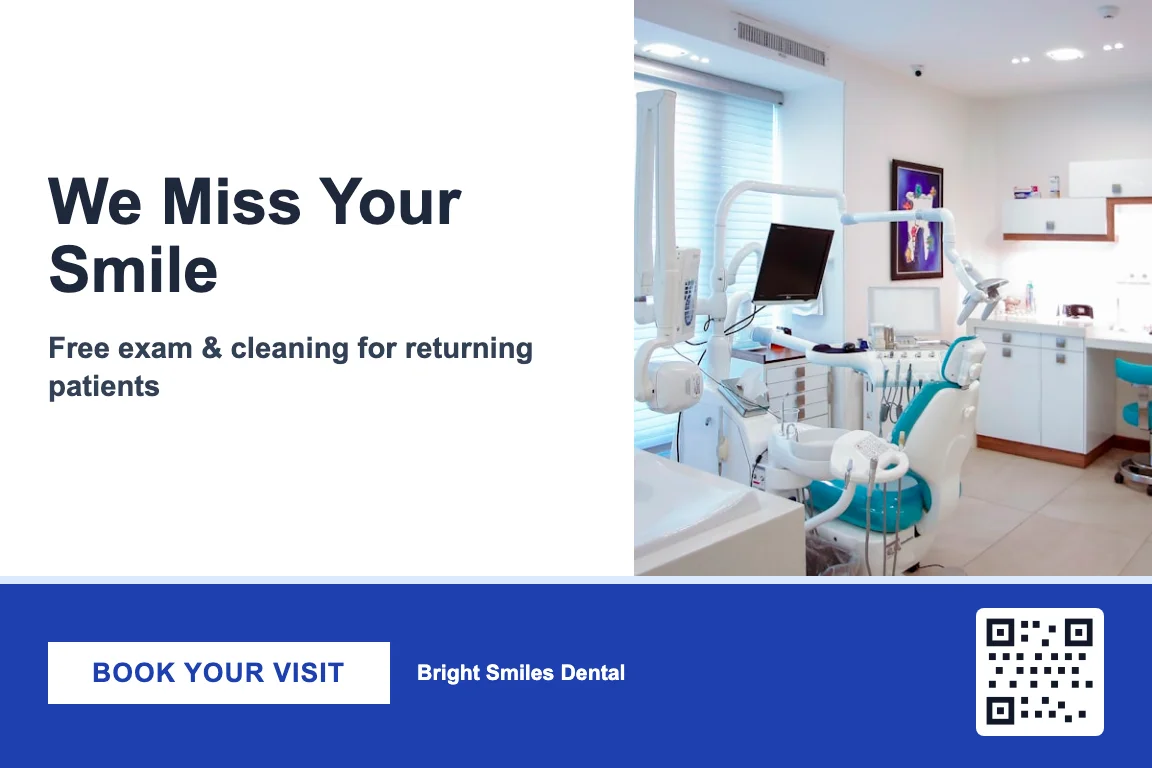
The mail — seen at a glance
Designed in the Design Studio (4×6 / 6×9 / 6×11), printed and mailed First-Class via USPS, QR code tracked.
The inbox — buried in the pile
Your local service…
$50 off your next visit — book today
Mega Sale — 48 hours only
Don't miss these deals…
Reminder: your cart is waiting
Complete your purchase…
Last chance — 70% off everything
Ends at midnight…
Illustrative view of inbox fatigue. PostKnock does not send marketing email — this is the channel mail competes against.
Direct mail fits anywhere a household books a local service. Each industry ships with a pre-built playbook — wave timing, messaging direction, UTMs, and call scripts — so most of the campaign is set up before you start. Postcard designs are authored separately in the Design Studio.
For local service businesses, it holds up well. A postcard has to be physically handled, so even a glance is a real impression — there's no spam folder or Promotions tab to slip past. Industry benchmarks (e.g., ANA / DMA) typically put direct-mail response in the low single digits for prospect lists and higher on your own house list. Those are ranges, not guarantees; your results depend on your list, offer, and timing.
Inbox fatigue. Promotional mail piles up faster than anyone reads it, and messages have to survive spam filters, a separate Promotions tab, and tightening sender rules just to be seen. Average promotional-email open rates commonly land in the mid-teens to low-twenties percent, and even that figure is an estimate skewed by privacy features that auto-load images. A postcard has none of those obstacles — it just shows up.
No. PostKnock sends postcard direct mail and, on the Pro plan, supports follow-up phone calls through a built-in Call Queue. It does not send marketing email. When this page compares mail to email, email is simply the channel you may be using elsewhere — not something PostKnock does for you.
You pay per piece from your wallet, and the per-piece price includes printing and USPS First-Class postage. A 4×6 card runs about $1.05 on the Free plan and about $0.79 on Pro. The Free tier needs no credit card, has no minimum, and no time limit. Pro is $99/mo or $799/yr and adds multi-wave sequences and the Call Queue. Larger sizes (6×9, 6×11) cost a bit more per piece.
No. You reach households by mailing address, not email. You can mail a named list you already have, or use EDDM-style saturation mailing to blanket whole carrier routes around your location without any names at all. To mail a named list, export a CSV from whatever system you use and import it — the import wizard auto-maps name, address, and phone columns.
Yes. Every postcard can carry a tracked QR code, so a scan tells you the card landed and got attention. You can also use UTM parameters (set up in the per-industry playbooks) on any URL you print, and on Pro you log call outcomes — booked, left a message, call back, not interested — in the Call Queue. There's no native CRM connection; tracking lives inside PostKnock.
There are no native CRM, PMS, or phone-system integrations. The only way to bring contacts in is to export a CSV from your existing system and import it; the import wizard auto-maps the columns. PostKnock doesn't sync with or connect to outside software in real time — the CSV export-and-import is the supported path.
Design a postcard, mail it First-Class, track the QR scans — free to start, no credit card. See what a physical touch does for your schedule.
Start Free — No Credit CardSources & notes: Direct-mail response-rate context is drawn from published industry benchmarks (e.g., the ANA / DMA Response Rate Report) and email open-rate context from widely published email-marketing benchmark reports. Both are presented as hedged ranges, not guarantees — actual figures vary by industry, list quality, offer, creative, and timing, and reported email open rates are themselves estimates affected by image-proxy privacy features. Nothing here is a forecast of your results. For PostKnock pricing and plan details, see pricing.