A postcard gets you on the fridge. A follow-up call gets you on the calendar. PostKnock's Call Queue surfaces exactly who to call after a mailer lands or a QR code scans — with the script and outcome logging built in.
Start Free — No Credit CardCalls happen on your own phones. PostKnock provides the queue, the script, and the logging — not the dialing.
Most postcards land, get a glance, and wait for the recipient to act first. The Call Queue closes that gap — once a card has had time to land (or its QR code gets scanned), PostKnock surfaces that person for a quick, warm follow-up call. You're not cold-calling a list; you're calling people who just saw your name.
Industry studies (ANA / DMA) typically report direct-mail response rates in the low single digits for prospect lists and higher on your own house list. Layering a follow-up call on top is a long-standing best practice precisely because the second touch reaches people the first one warmed up. Treat any single number as an estimate — your real numbers depend on your list, offer, and timing.
Two channels, one sequence. You build it once; PostKnock paces the mail and then drops the right people into your Call Queue at the right time.
Export a CSV from whatever system you already use and import it — the wizard auto-maps name, address, and phone columns. Pick a 4×6, 6×9, or 6×11 design in the Design Studio, add your offer and a QR code, and PostKnock prints and mails it First-Class via USPS.
A card typically takes a few business days to arrive. PostKnock holds the call until the mailer has had time to land — and every postcard's QR code is tracked, so a scan tells you the card got attention.
On Pro, PostKnock builds a daily Call Queue of exactly who to call now — recipients whose card has landed, with QR-scan signal shown alongside each one. No spreadsheet, no guessing who's next.
Each queue entry carries the per-wave call script you wrote, so the front desk isn't improvising. Your team places the calls on your own phones — PostKnock provides the queue and the script, not the dialing.
Staff logs each result — booked, left a message, call back, not interested. Outcomes feed the sequence, so non-responders can roll into the next of up to five waves, each able to pair a new postcard with another follow-up call.
Plain and honest, so you know exactly what you're getting. The Call Queue is a Pro feature.
Bringing in a contact list works the same way it does everywhere in PostKnock: export a CSV from whatever system you already use and import it — the import wizard auto-maps name, address, and phone columns. There's no live CRM connection.
The same offer, carried by both touches. The card lands; the queue tells you who to call.
Touch 1 — the postcard
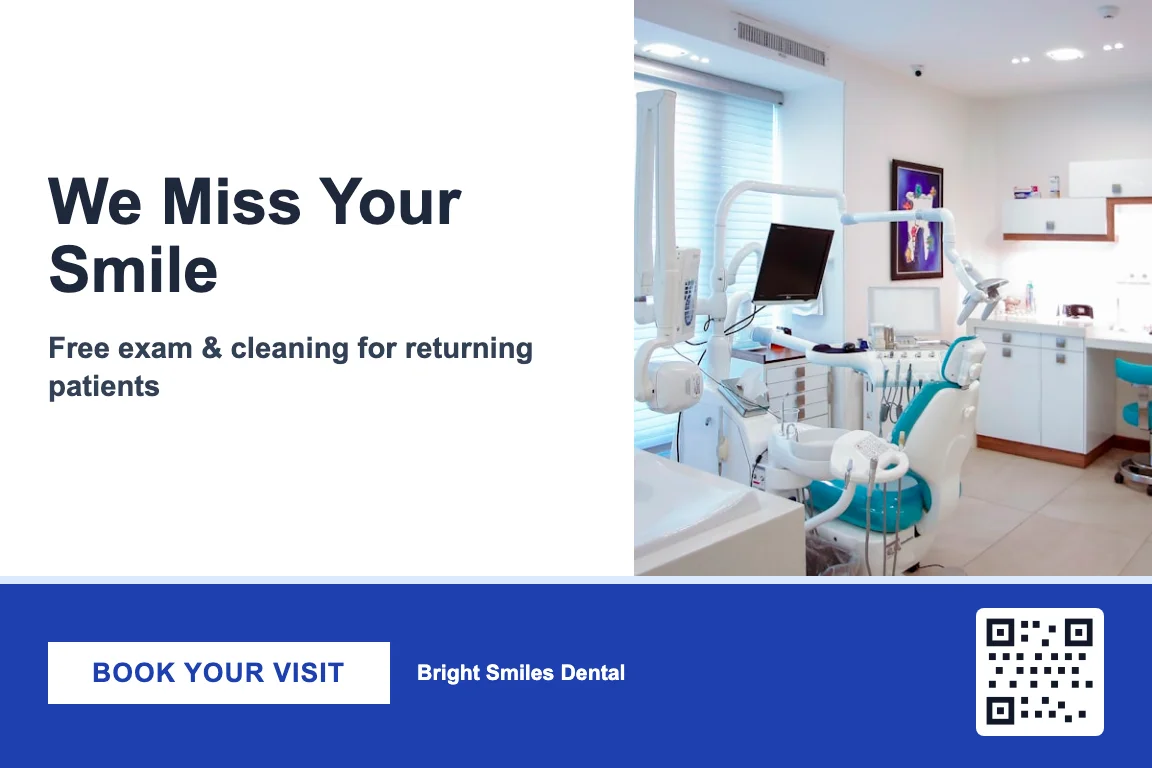
Designed in the Design Studio (4×6 / 6×9 / 6×11), printed and mailed First-Class, QR code tracked.
Touch 2 — the Call Queue
Next to call
Card landed · QR scanned
Script
“Hi, this is the front desk — just following up on the card we sent. Did it reach you OK? I'd love to get you on the schedule.”
Illustrative view. Your team places the call and logs the outcome; PostKnock doesn't dial for you.
A back-of-the-envelope comparison: mailer-only vs. working a follow-up Call Queue. Every number here is your own estimate — we don't know your real rates, and there are no guarantees. Adjust the inputs to match your business.
Estimate. Industry studies often cite low single digits for prospect lists, higher on your own list.
Estimate only. A warm follow-up call commonly adds meaningful lift, but the exact amount varies widely.
Mailer only
20
est. bookings
~$6,000 est. value
Mailer + Call Queue
28
est. bookings
~$8,400 est. value
Working the queue: about 8 more bookings (~$2,400 in estimated value).
Illustrative math only — not a forecast or promise. Excludes per-piece send cost; see pricing.
The mail-then-call play fits anywhere a person picks up the phone to book. Each industry ships with a pre-built playbook — wave timing, messaging direction, UTMs, and call scripts — so the Call Queue is mostly set up before you start. Postcard designs are authored separately in the Design Studio.
The why behind the one-two punch — how a warm call after a mailer reaches the people the postcard warmed up, and how the sequence runs end to end.
See the 1-2 punch →
A worked example of the postcard + Call Queue sequence for a single vertical, with a pre-built reactivation playbook.
See the dental playbook →
The Call Queue is a Pro feature that surfaces a daily list of exactly who to call after a mailer lands or a QR code scans. Each entry carries the per-wave call script you wrote, and your staff logs the outcome — booked, left a message, call back, not interested. Your team places the calls on your own phones; PostKnock provides the queue, the script, and the outcome logging, not the dialing.
No. The Call Queue tells your front desk exactly who to call and gives them the script you wrote, but your team places the actual calls on your own phones and logs the outcome. There's no auto-dialer and no AI placing calls. The value is in the timing and the targeting — you call the right people, right after their card lands, with words ready to go.
The sequence waits for the postcard to have time to land before surfacing the contact for a call, so you're reaching out while the card is fresh rather than before it arrives. Each postcard's QR code is tracked too, so a scan gives you an extra signal that the card got attention — useful for deciding who feels worth a personal call first.
The Call Queue and multi-wave sequencing are Pro features. Pro is $99/mo or $799/yr and also drops per-piece postcard pricing to about $0.79 for a 4×6 card. The Free plan lets you design and mail single-wave postcard campaigns (from about $1.05 per 4×6 card) with no credit card and no minimum, so you can try the mailing half first.
There are no native CRM or phone-system integrations. You bring contacts in by exporting a CSV from whatever system you already use and importing it — the import wizard auto-maps name, address, and phone columns. Calls are made on your own phones; PostKnock provides the queue, the script, and the outcome logging, not the dialing.
Yes — the call is just another touch in the same omnichannel wave. On Pro you configure a call step per wave alongside the postcard, write the script once, and the Call Queue handles surfacing who to call after the mailers land. You can run up to five waves, each able to pair a postcard with a follow-up call.
Three sizes: 4×6, 6×9, and 6×11. You design any of them in the in-app Design Studio, add a QR code, and PostKnock prints and mails them First-Class via USPS. Per-piece pricing includes printing and postage. EDDM-style saturation mailing is also supported if you'd rather blanket a neighborhood than mail a named list.
Mail the card, then work a queue that tells you exactly who to call. Build the whole sequence in PostKnock — free to start.
Start Free — No Credit CardResponse-rate context is drawn from published industry benchmarks (e.g., ANA / DMA Response Rate Report) and is presented as a range, not a guarantee. The booking estimator uses your own inputs and is illustrative only — not a forecast of your results.