For Any Appointment-Based Business

Appointment Reminder Postcards
That Cut No-Shows

Mail a reminder that lands on the fridge, then follow up with a phone call. PostKnock turns "due for a visit" lists into kept appointments — with pre-built playbooks for 50+ industries.

Start Free — No Credit Card
~3–6%
Typical direct-mail response to a house list
(industry studies; est. range)1
50+
Industries with pre-built reminder playbooks
$0.79–$1.05
Per 4×6 card, all-in
(Pro → Free), printing + postage

What Is an Appointment Reminder Postcard?

An appointment reminder postcard is a physical mail piece sent to a customer who is due, overdue, or already booked — with one job: get them to show up. It pairs a clear "you're due for your visit" nudge with an easy way to confirm or schedule (a phone number, a QR code to your booking page, or both).

Who they're for

Patients due for a recall or checkup, clients past their usual service interval, members with an expiring plan, anyone with a standing appointment cadence. If you have names, addresses, and "next due" dates, you can mail a reminder.

Why a postcard

A text gets swiped away and an email gets buried, but a postcard sits on the counter or fridge as a standing reminder. There's no envelope to open and nothing to unsubscribe from — the message is visible the moment it hits the mailbox.

Why Direct Mail Works for Reminders

People you've already served are the easiest list you'll ever market to — they know you and they're due. The challenge is reaching them before the appointment slips. A card that physically stays in view, backed by a call, beats a notification they can ignore.

What usually falls flat

  • × A single reminder with no follow-up
  • × A vague "you're due" with no date or easy way to book
  • × A text or email that's dismissed in two seconds
  • × A "due" list and a calling list that never talk to each other

What actually keeps the appointment

  • ✓ A specific "you're due" prompt with a clear next step
  • ✓ A phone call a few days after the card lands
  • ✓ A second wave for the people who didn't book
  • ✓ One system that mails, then queues the calls automatically

Industry studies typically report direct-mail response rates to an existing house list in the low-to-mid single digits (often cited around 3–6%),1 with results varying widely by offer, list quality, and follow-up. Treat any number as an estimate, not a promise — your own list and timing drive the outcome.

The PostKnock Way

Postcards that get attention. Callbacks that close the deal. Here's the whole loop — four steps, no agency.

1

Pick a reminder playbook

Choose a pre-built multi-touch wave sequence for your industry (50+ verticals). Wave timing, message direction, UTMs, and call scripts come pre-configured — up to 5 waves. Upload your "due for a visit" list by exporting a CSV from your existing system; the import wizard auto-maps the name, address, and phone columns.

2

Design the postcard

Start from an industry template and edit it in the in-app Design Studio — your logo, your "you're due" message, your colors. Choose 4×6, 6×9, or 6×11. Add a QR code that links straight to your booking page so confirming takes one tap.

3

Mail it

Postcards print and ship via USPS First-Class automatically — printing and postage are included in the per-piece price. Send to a targeted "due" list, or run an EDDM-style saturation mailing to a whole neighborhood when you want new appointments too. You pay from your wallet, per piece, only for what you send.

4

Follow up with a call via the Call Queue

A few days after delivery, the built-in Call Queue (a Pro feature) fills up with the people who got the card. Your front desk works the queue with the wave's pre-loaded call script — confirm, reschedule, or book — and logs each outcome. Anyone who hasn't booked rolls forward into the next wave. This postcard-then-phone one-two punch is the part most "just mail it" tools leave out.

What You'll Actually Send

Real postcard designs, themed per industry and ready to customize in the Design Studio. Here are a few across different verticals — the same postcard + call reminder sequence works for all of them.

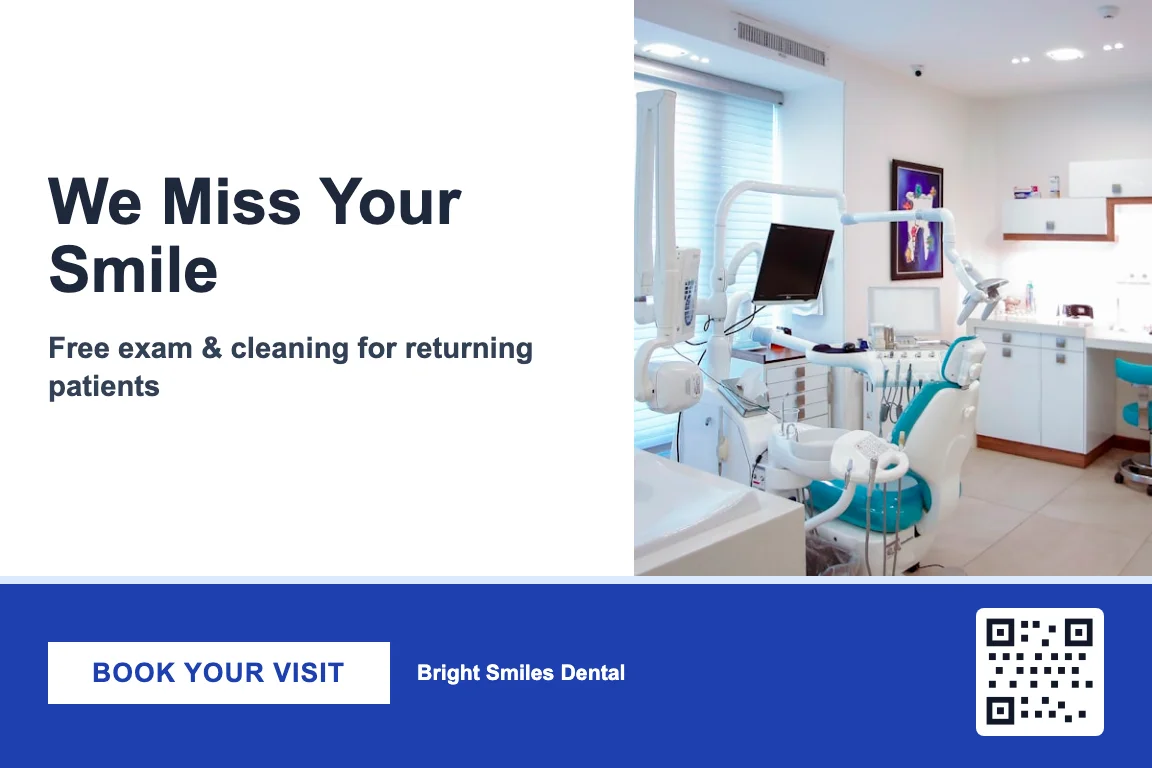
Dental

Dental appointment reminder postcard design — recall and checkup reminder

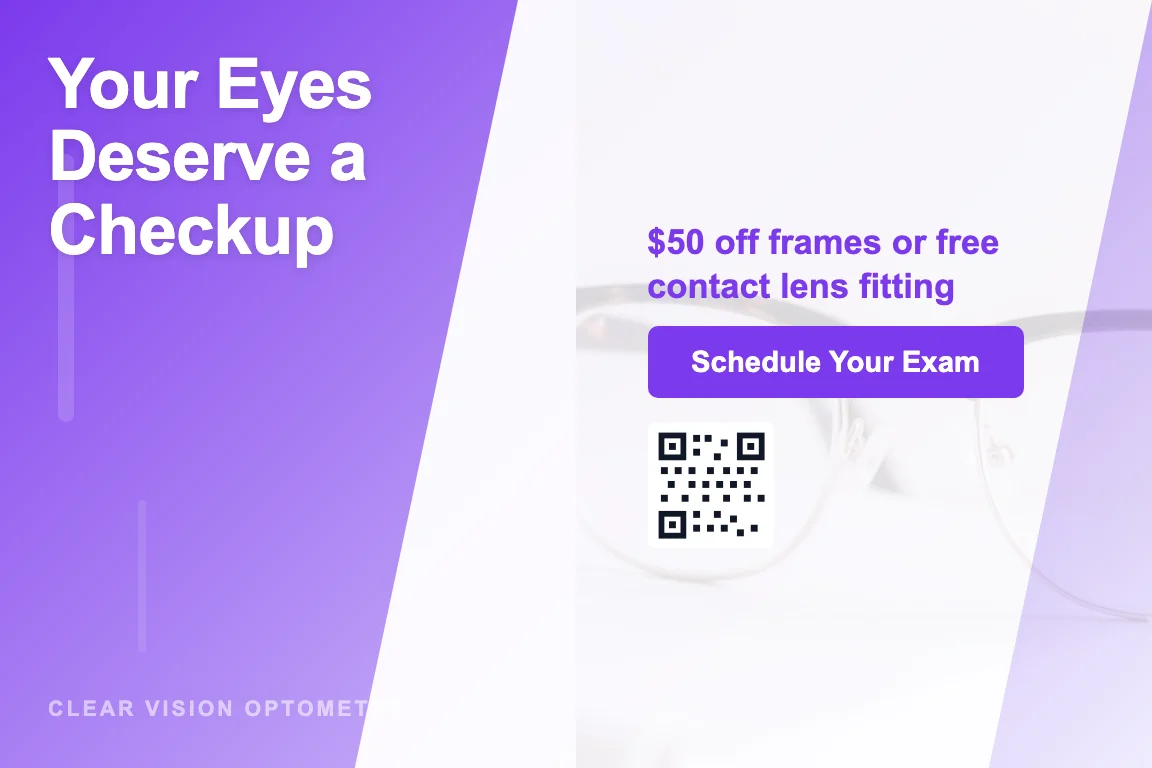
Optometry

Optometry appointment reminder postcard design — annual eye exam reminder

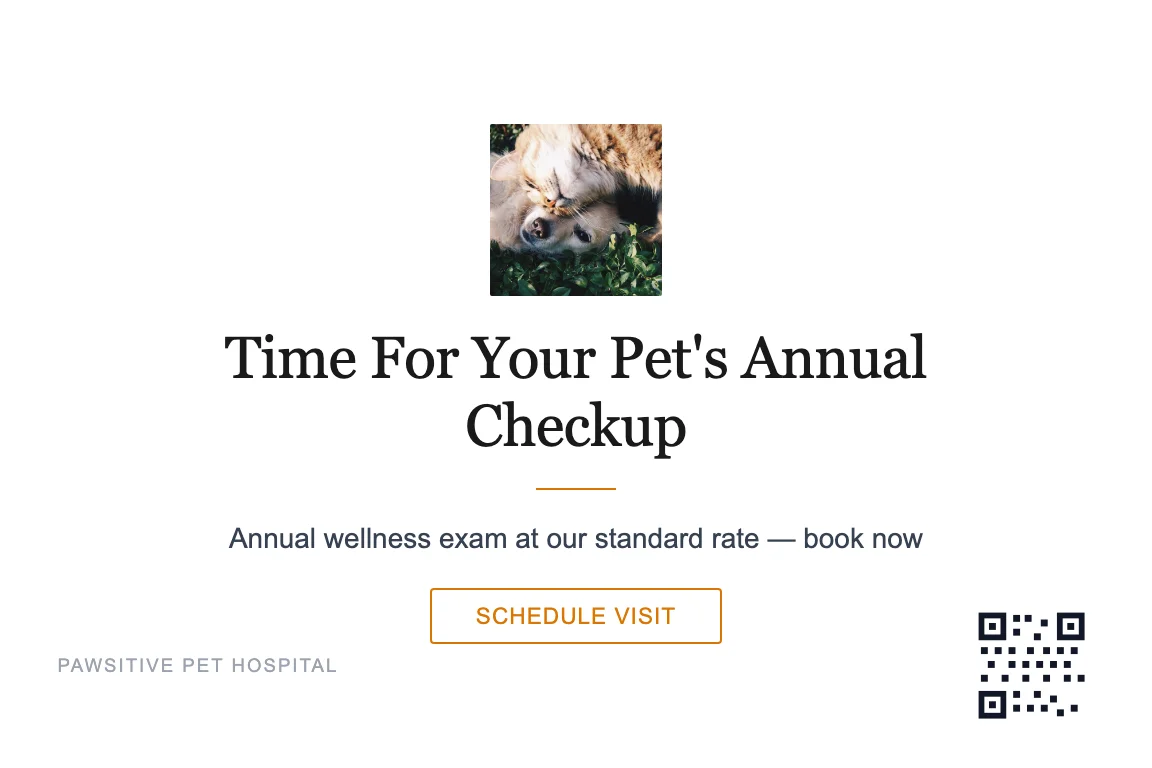
Veterinary

Veterinary appointment reminder postcard design — pet checkup due reminder

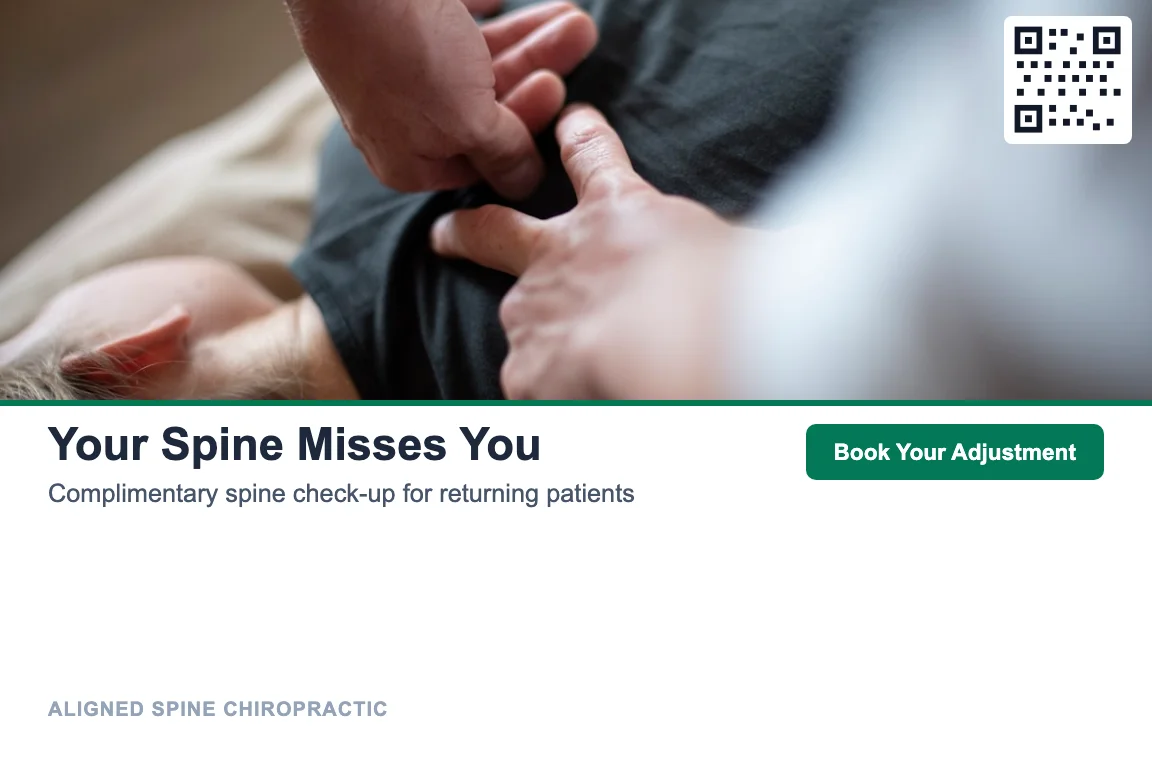
Chiropractic

Chiropractic appointment reminder postcard design — care plan visit reminder

Know What's Working: QR & UTM Tracking

A reminder you can't measure is a guess. Add a QR code to any reminder postcard and you can see scans — and bookings — roll in.

📱

Scan-to-book QR codes

Each card carries a QR code linking to your booking page, so a scan is a measurable signal that the reminder got noticed — and a one-tap path to confirm the appointment.

🔗

UTM-tagged links

Playbooks set UTM parameters on the destination URL, so the traffic shows up labeled in your own web analytics next to your other channels.

📞

Calls close the loop

For the people who don't scan, the Call Queue gives your team a second, human touch to confirm or reschedule — with a logged outcome either way.

Start Free. Pay Per Piece.

No credit card, no minimum, no time limit. You only pay when you send — from your wallet, per card.

Free

$0/forever

Single-wave postcard campaigns · Unlimited contacts · From $1.05/piece

Most Popular

Pro

$99/mo

Everything in Free + the Call Queue & multi-wave sequences · From $0.79/piece

Per-piece pricing includes printing + USPS First-Class postage. Pro is $99/mo or $799/yr. See full pricing →

Appointment Reminders, by Industry

The same postcard + call playbook, tuned for your world. Two of the verticals that lean hardest on appointment reminders:

Frequently Asked Questions

What is an appointment reminder postcard?

It's a postcard sent to a customer who is due, overdue, or already booked, with the goal of getting them to show up. It usually pairs a clear "you're due for your visit" message with an easy way to confirm or schedule — a phone number, a QR code to your booking page, or both. PostKnock then follows the card with a phone call so the reminder isn't a single touch.

Do reminder postcards actually reduce no-shows?

Results vary a lot by list quality, timing, and offer, so treat any figure as an estimate. Industry studies typically report direct-mail response rates to an existing house list in the low-to-mid single digits, often cited around 3 to 6 percent. A postcard stays in view on the counter or fridge in a way a text or email doesn't, and adding a phone follow-up gives anyone who hasn't booked a second, human touch.

How is the phone follow-up handled?

A few days after a card is delivered, PostKnock's built-in Call Queue (a Pro feature) populates with the people who received it. Your team works the queue using the playbook's pre-loaded call script to confirm, reschedule, or book, and logs each outcome. Anyone who hasn't booked rolls forward into the next wave. The calls are made by your own staff — PostKnock organizes the queue and scripts.

How much do appointment reminder postcards cost?

They start at $1.05 per 4x6 postcard on the Free plan and drop to $0.79 on Pro, with printing and USPS First-Class postage included in that per-piece price. You pay from your wallet only for what you send — no setup fees, no minimums, no contracts. Pro is $99/mo or $799/yr and adds the Call Queue and multi-wave sequences.

Can PostKnock send reminders automatically from my scheduling software?

PostKnock does not connect to or sync with your scheduling, CRM, or practice-management software directly, and it doesn't send email or text reminders. The flow is a one-time CSV export and import: export your "due for a visit" list from whatever system you use, then upload that CSV to PostKnock, where the import wizard auto-maps name, address, and phone columns. You can repeat that export-and-import whenever you refresh the list.

Which industries can use reminder postcards?

Any appointment-based business with a list of due or booked customers. PostKnock ships pre-built playbooks for 50+ industries — dental, optometry, veterinary, chiropractic, med spa, physical therapy, and more. The postcard-plus-call sequence is the same; the timing, messaging direction, and call scripts are tuned per vertical.

Can I track whether the reminders are working?

Yes. Each postcard can carry a QR code linking to your booking page, so scans give you a measurable response signal and a one-tap path to confirm, and playbooks add UTM parameters so the traffic shows up labeled in your own web analytics. Logged call outcomes from the Call Queue tell you how the human follow-up went.

What postcard sizes are available?

Three sizes: 4x6, 6x9, and 6x11. You design any of them in the in-app Design Studio, starting from an industry template and editing the copy, "you're due" message, colors, and logo to match your brand.
Cut Your No-Shows

Pick a playbook, design a card, mail it, and work the Call Queue. Start free — you only pay when you send.

Start Free — No Credit Card

1 Direct-mail response-rate ranges are drawn from general industry benchmarks (e.g. ANA / DMA Response Rate Report coverage). Figures are estimates that vary widely by list, offer, timing, and follow-up — presented here as a range, not a guarantee.