For Optometry Practices

Lapsed-Patient Reactivation
Postcards for Optometry Practices

Every overdue annual exam is a glasses or contacts sale walking out the door. PostKnock mails reactivation postcards to your lapsed patients — then puts each one in your front desk's call queue so a real person follows up.

Start Free — No Credit Card

Free plan from $1.05/card · Pro from $0.79/card · No contracts

4–9%
Estimated direct-mail response
range on a house list1
3
Postcard sizes — 4×6,
6×9, 6×112
<30 min
Typical sign-up to
first campaign launched

Where Optometry Practices Lose Patients

"Lapsed" isn't one problem — it's several. Each one is a patient who already trusts your practice and quietly slipped off the recall list. Reactivation postcards plus a call are how you catch them before they buy their next pair of glasses online or down the street.

👁

Overdue annual exams

Patients past their yearly comprehensive eye exam who never pre-booked at checkout. The recall list grows every month it isn't worked — and so does their next Rx change.

👓

Expired prescriptions

A glasses or contact-lens Rx that lapsed means they can't reorder lenses without coming back. That expiration date is a built-in reason to reach out before they go elsewhere.

🛒

Exam-only, never bought

The patient who got the exam but bought frames or contacts somewhere cheaper. A reactivation card with an optical offer brings the capture opportunity back into your shop.

🎯

Unused vision benefits

VSP, EyeMed, Davis and similar plans reset every year. Patients with an unused exam-and-materials allowance are prime to reactivate — a timed Q4 card gives them a deadline.

💸

Expiring FSA / HSA dollars

Patients with flexible-spending funds to use before year-end will spend them on glasses, sunglasses, or a backup pair — if someone reminds them in time.

👶

Whole-family drift

One parent skips a year and the kids' annual exams lapse with them. Reactivating one household can rebook the whole family before the school year starts.

A Postcard Alone Won't Rebook Them. The Call Will.

Recall texts and "you're due" emails get muted. A reactivation postcard physically lands in the mailbox — then, a few days later, a familiar voice from your front desk closes the loop. That one-two punch is what PostKnock is built for.

What stalls reactivation

  • × A single "you're due for an exam" card with nobody following up
  • × Front desk meaning to work the recall list "when it's slow" (it never is)
  • × Vague messaging with no specific offer or deadline
  • × Recall texts to patients who already tuned them out

What rebooks the exam chair

  • ✓ A designed postcard with one clear optical offer + a deadline
  • ✓ A QR code that drops straight onto your online scheduler
  • ✓ A front-desk call 3–5 days after the card lands, with a pre-loaded script
  • ✓ A second and third wave for everyone who didn't answer

The Optometry Reactivation Playbook

A multi-touch wave sequence built for overdue eye-care patients. Postcards mail on schedule; non-responders flow into the Call Queue and roll forward to the next wave automatically.

W1

Wave 1 — "You're due for your eye exam" postcard

Warm, personal tone with the patient's name auto-filled. One offer (complimentary exam upgrade, frames credit, or "let's get you back on the schedule"). QR code to online booking.

W2

Wave 2 — Front-desk call (Pro Call Queue)

3–5 days after the card lands, the patient appears in your Call Queue with a pre-loaded script: "Dr. ___ asked me to reach out — your prescription is due to renew and we have openings this week." Staff logs the outcome in one click.

W3

Wave 3 — Second postcard, new angle

A different design for everyone who hasn't rebooked. Lead with vision benefits resetting, FSA dollars expiring, or a limited-time complete-pair offer with a real deadline.

W4

Wave 4 — Final call + "keep your records active" card

Last call attempt for non-responders, paired with a low-key "we'd hate to lose you" postcard. Then the segment rests before you recycle it next recall cycle.

Wave count, timing, and call cadence are yours to set — PostKnock supports up to 5 waves. The phone-call waves use the built-in Call Queue, a Pro feature.

Reactivation Offers That Fit an Optometry Practice

A reactivation card needs a reason to book today. These are common, eye-care-appropriate angles you can drop into the postcard offer field — pick what fits your patient mix, your optical, and your state's advertising rules.

For overdue annual exams

  • • Frames or lens credit when you book your exam
  • • Complimentary retinal imaging or exam upgrade
  • • "Back on schedule" priority booking for lapsed patients

For year-end benefits

  • • "Use your vision benefits before they reset" reminder
  • • Spend your FSA / HSA dollars before December 31
  • • Q4 priority scheduling for exams + optical

For contact-lens wearers

  • • "Your Rx is expiring — renew to keep reordering"
  • • Annual-supply rebate when you renew your fitting
  • • Free trial pair of a new daily or multifocal lens

For families & optical

  • • Book the whole family's exams in one visit
  • • Back-to-school kids' exam + glasses package
  • • Second-pair / prescription-sunglasses discount

Offers are illustrative. You set the offer copy; PostKnock prints and mails the card and queues the follow-up call.

What Your Reactivation Card Looks Like

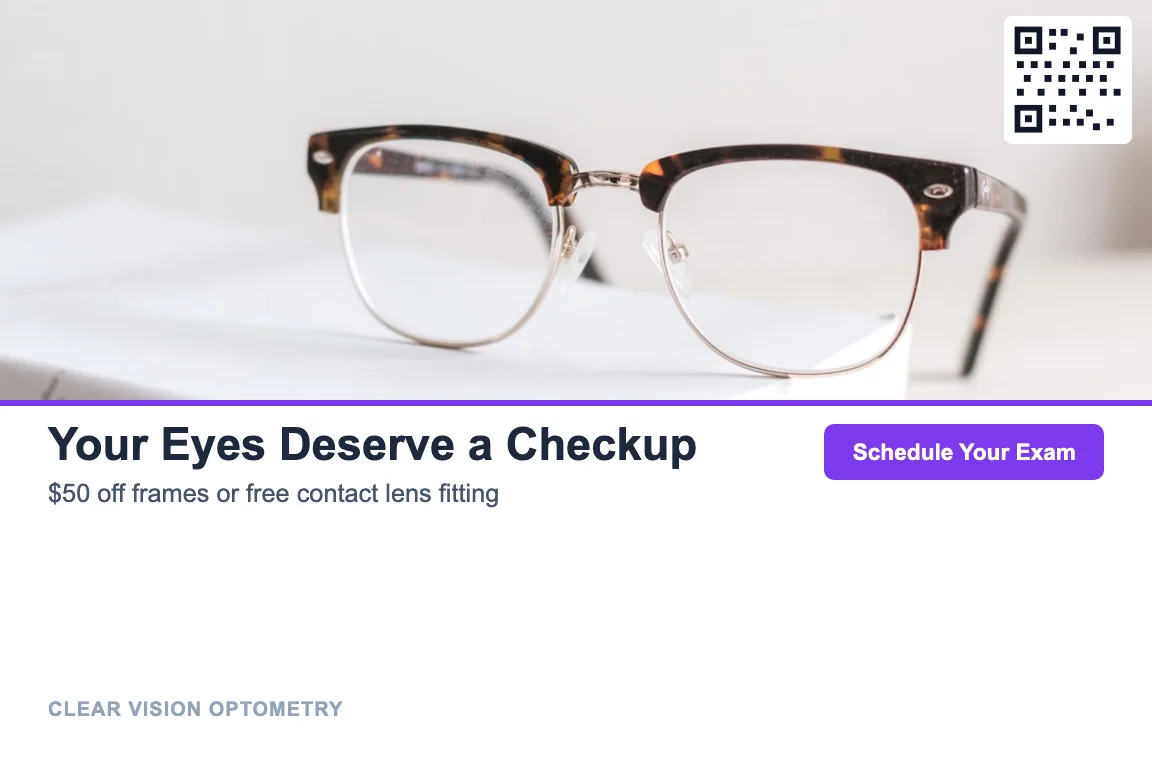
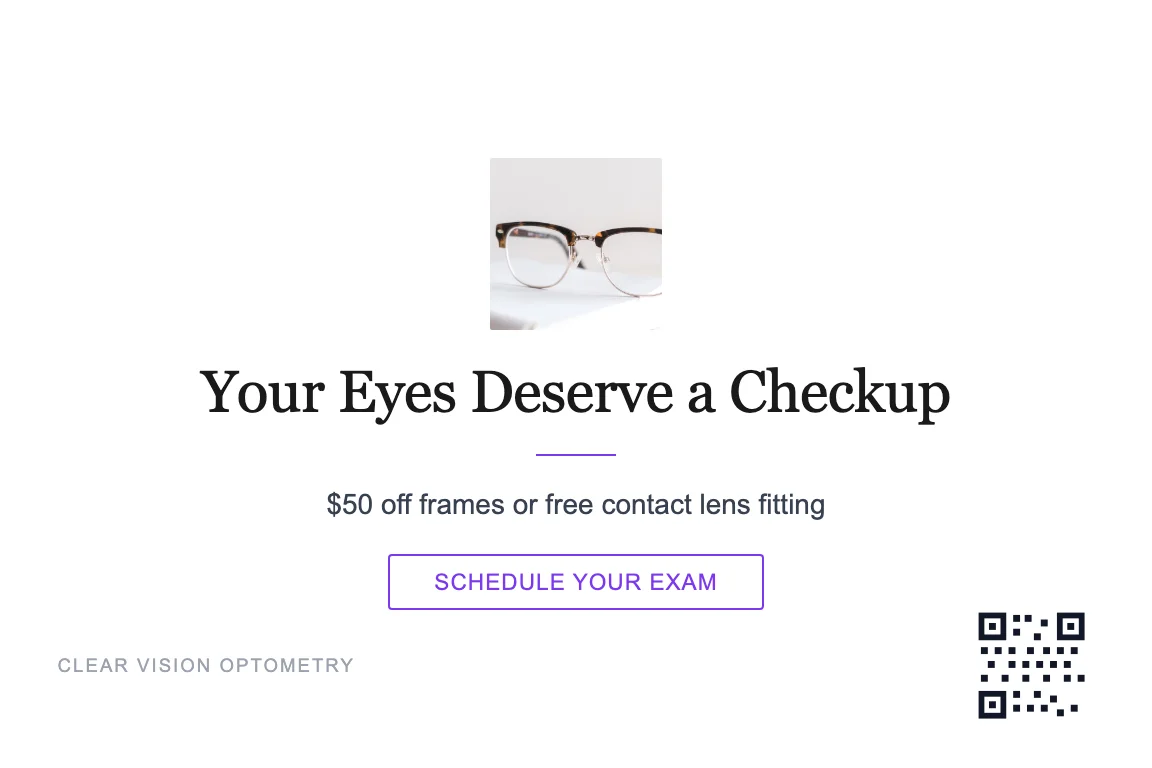
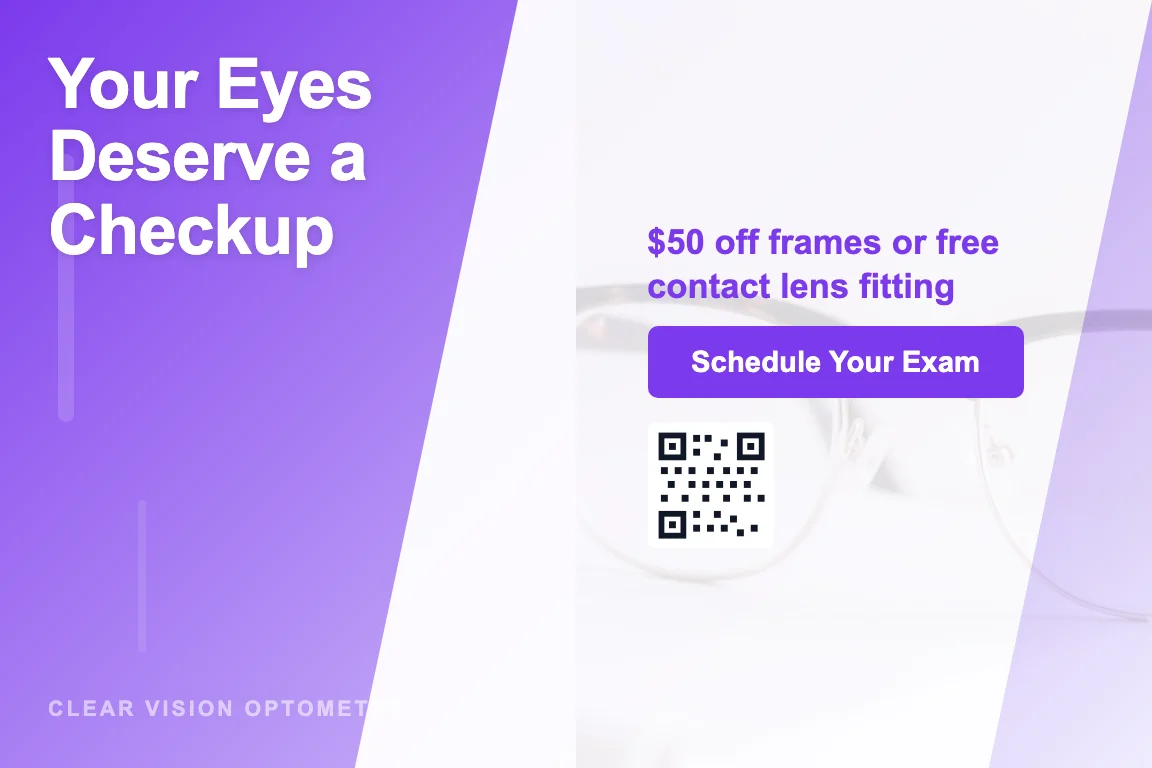
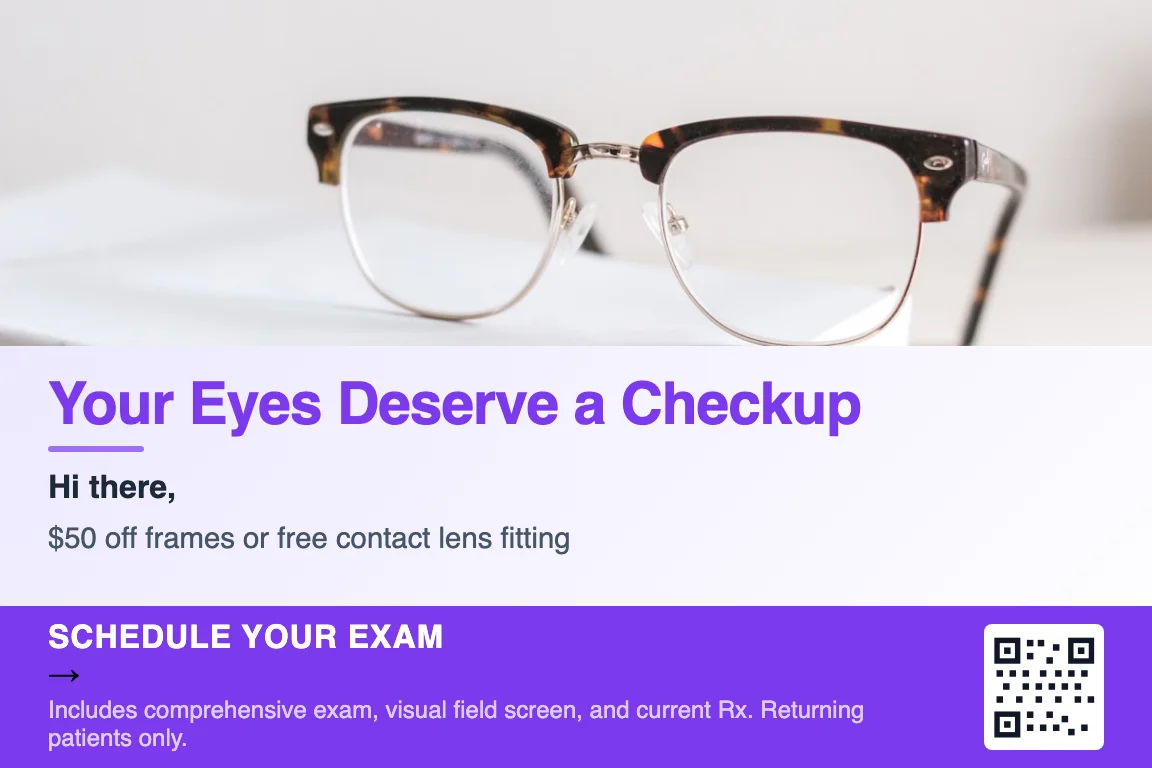
Design it in the in-app Design Studio in your practice's colors. Four starting styles — same offer and same call follow-up behind each, so pick the look that fits your brand.

Bold
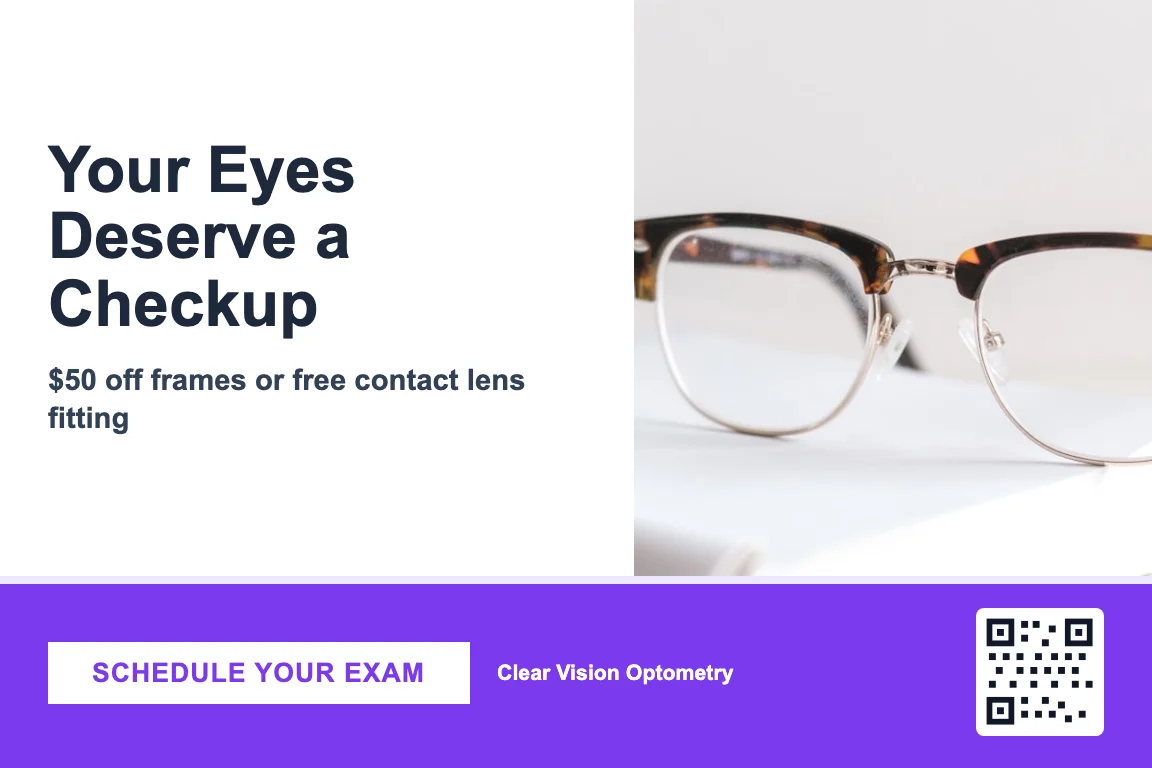
Bold optometry reactivation postcard design front

Photo

Photo-led optometry reactivation postcard design front

Minimal

Minimal optometry reactivation postcard design front

Gradient

Gradient optometry reactivation postcard design front

Front Detail

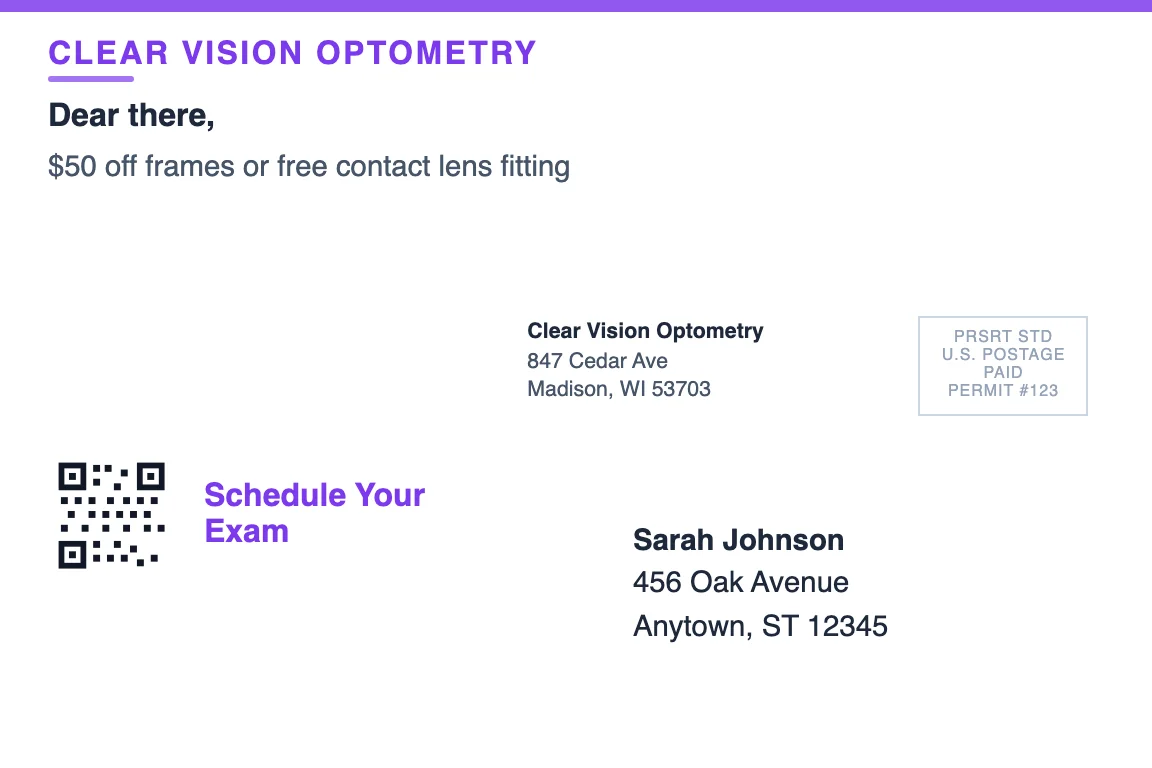
Detailed view of an optometry reactivation postcard front

Back (Address Side)

Optometry reactivation postcard back showing return address and recipient zone

Available in 4×6, 6×9, and 6×11. All-in pricing includes printing and USPS First-Class postage.

How PostKnock Runs It, End to End

1

Pull your lapsed list from your EHR / PM system

In RevolutionEHR, Crystal PM, Compulink, Eyefinity, My Vision Express — or any system — run a report for patients with no exam in 12+ months (or your own cutoff, including expiring prescriptions) and export it as a CSV. PostKnock doesn't connect to your EHR; you export the file, then import it.

2

Import the CSV — the wizard maps your columns

Drop in the export and the import wizard auto-maps name, address, phone, and last-exam columns. Segment overdue annual exams vs. expiring contact-lens Rx vs. unused-benefits patients if you want different offers per group.

3

Pick the reactivation playbook & your card

Choose the wave sequence, set your eye-care offer, and design the postcard in the Design Studio. Add a QR code that points to your online scheduler so patients can self-book their exam.

4

Launch — postcards mail, the queue fills

Cards print and ship via USPS First-Class automatically. A few days after delivery, every patient who hasn't rebooked drops into the Call Queue. Non-responders advance to the next wave on their own.

5

Front desk works the queue & you track scans

Staff calls down the queue with the pre-loaded script and logs each outcome. QR scans are tracked so you can see which cards drove online bookings versus calls.

A Worked Example (Your Numbers Will Vary)

Say a practice pulls 500 lapsed patients (no exam in 12+ months) and runs a 3-wave reactivation sequence with call follow-up. Here's the transparent math — the inputs are illustrative, not a guarantee:

  • 500 patients × 3 waves = 1,500 cards × $0.79/card (Pro 4×6) = ~$1,185 in postage + print
  • At an estimated 3–5% reactivation rate1 → roughly 15–25 patients rebooked
  • If a reactivated patient is worth, say, $300–$600 in exam fees plus an optical or contact-lens purchase…
  • …that's a meaningful return on the spend — plug in your own per-patient value and optical capture rate to see yours.

Response and reactivation rates are industry-typical ranges, not PostKnock results. Per-patient value depends on your fee schedule, optical capture, and insurance mix. Add a Pro subscription ($99/mo) on top of per-piece cost if you want the Call Queue and multi-wave sequencing.

Simple, Transparent Pricing

Free to explore — you only pay when you're ready to send. Pay from your wallet per piece.

Free

$0/forever

Single-wave postcard campaigns · Design Studio · QR tracking · From $1.05/piece

Most Popular

Pro

$99/mo

Everything in Free + Call Queue & multi-wave sequencing · From $0.79/piece

Per-piece pricing includes printing + USPS First-Class postage. Pro is $99/mo or $799/yr. No setup fees, no minimums, no contracts.

🛡

Built for HIPAA-aware optometry practices

PostKnock keeps PHI off the postcard by default. Marketing communications to your own patients are typically permitted under HIPAA without a BAA — we don't sign Business Associate Agreements and we don't ask you to upload PHI. Your reactivation export only needs name, address, and contact details — no diagnoses, no Rx values. Read our healthcare compliance approach →

Frequently Asked Questions

What counts as a "lapsed" optometry patient?

Most practices treat a patient as lapsed once they're overdue for their recall exam — commonly 12+ months since their last comprehensive eye exam — or once their glasses or contact-lens prescription has expired with no rebooked visit. You set the cutoff when you pull the list from your EHR or practice management system; PostKnock just mails to whoever is on your CSV.

How is this different from my recall reminders?

Recall reminders are texts and emails the patient may have already tuned out. A reactivation postcard physically arrives in the mailbox with a specific eye-care offer, and on Pro the patient then drops into your Call Queue so the front desk follows up by phone. It's the postcard-plus-call one-two punch, not another notification.

Can I export patients from RevolutionEHR, Compulink, or Eyefinity?

Yes. RevolutionEHR, Crystal PM, Compulink, Eyefinity, My Vision Express and most other eye-care systems let you run a recall or inactive-patient report and export it as a CSV. Filter by last exam date or prescription expiration to find lapsed patients, then import the CSV into PostKnock — the wizard auto-maps name, address, phone, and last-exam columns. PostKnock does not integrate directly with your EHR; you export the file and import it.

What offer should an optometry reactivation postcard make?

One clear offer with a reason to act now works best: a frames or lens credit with a booked exam, a complimentary exam upgrade, or a "use your vision benefits before year-end" nudge. Contact-lens wearers respond well to an expiring-Rx renewal reminder. Always check your state optometry board's advertising rules — you write the offer copy, PostKnock prints and mails it.

When is the best time to send a reactivation campaign?

Two windows work especially well for eye care: Q4, when vision benefits and FSA / HSA dollars are about to reset or expire, and late summer for back-to-school family exams. That said, the most effective reactivation campaign is the one that runs continuously — pull your overdue list monthly and keep the recall pipeline moving rather than waiting for one big annual push.

How many waves should a reactivation campaign have?

Most practices run 3 to 4 waves over several weeks, mixing postcards with one or two call attempts for non-responders. PostKnock supports multi-touch wave sequences of up to 5 waves; you control the timing and which waves are postcards versus calls. A single touch rarely rebooks — the follow-up is what closes it.

Do I need the phone calls, or can I just mail postcards?

You can mail postcards on the Free plan with no calls at all. The built-in Call Queue — which puts each lapsed patient in front of your front desk with a pre-loaded script after the card lands — is a Pro feature. For reactivation specifically, the call is usually what turns interest into a booked exam, so most practices use it.

What does it cost to reactivate my lapsed list?

You pay per piece from your wallet: from $1.05 per 4×6 card on the Free plan, dropping to $0.79 on Pro, with printing and USPS First-Class postage included. Pro is $99/mo (or $799/yr) and adds the Call Queue and multi-wave sequencing. No setup fees, no minimums, no contracts — you only pay for what you send.

Is this compliant for patient outreach?

PostKnock keeps PHI off the postcard by default and your export only needs name, address, and contact info — no diagnoses or prescription values. Marketing communications to your own patients are typically permitted under HIPAA without a BAA. We are HIPAA-aware: we don't sign Business Associate Agreements and we don't ask you to upload PHI. Review your own obligations and state optometry advertising rules, and see our healthcare compliance approach for details.

Keep exploring

Turn Your Recall List Into Booked Exams

Postcards that get attention. Callbacks that close the deal. Start free — you only pay when you send.

Start Free — No Credit Card

1 Response and reactivation figures are industry-typical ranges, not PostKnock results. House-list direct-mail response is commonly reported in the low-single-digit-to-high-single-digit percent range — e.g. ANA (Association of National Advertisers), Response Rate Report. Your results depend on your list, offer, and follow-up.

2 PostKnock supports three postcard sizes (4×6, 6×9, 6×11) and multi-touch wave sequences of up to 5 waves.